
Download 5KPlayer – Free 4K/8K Media Player & Downloader
5KPlayer is a free, all‑in‑one media player that blends high‑resolution video playback, audio streaming, and powerful downloading tools into a single, lightweight package. Designed for Windows and Mac, the player leverages a built‑in hardware accelerator that can render 4K and even 8K HDR videos without lag, while supporting a wide range of file formats, AirPlay, DLNA, and DVD playback. Whether you want to stream a 360‑degree video, grab a YouTube clip for offline viewing, or mirror your iPhone screen to a PC, 5KPlayer delivers a secure, ad‑free experience that rivals premium solutions—all without a price tag.Key Features That Set 5KPlayer Apart
- 8K Hardware Acceleration: DXVA 2.0 powered engine accelerates decoding, ensuring smooth playback of ultra‑high‑definition content.
- Universal Format Support: Plays AVI, MKV, MP4, FLV, MTS, WMV, and more, plus full audio codec coverage (AAC, MP3, WMA, AC3, DTS, Dolby).
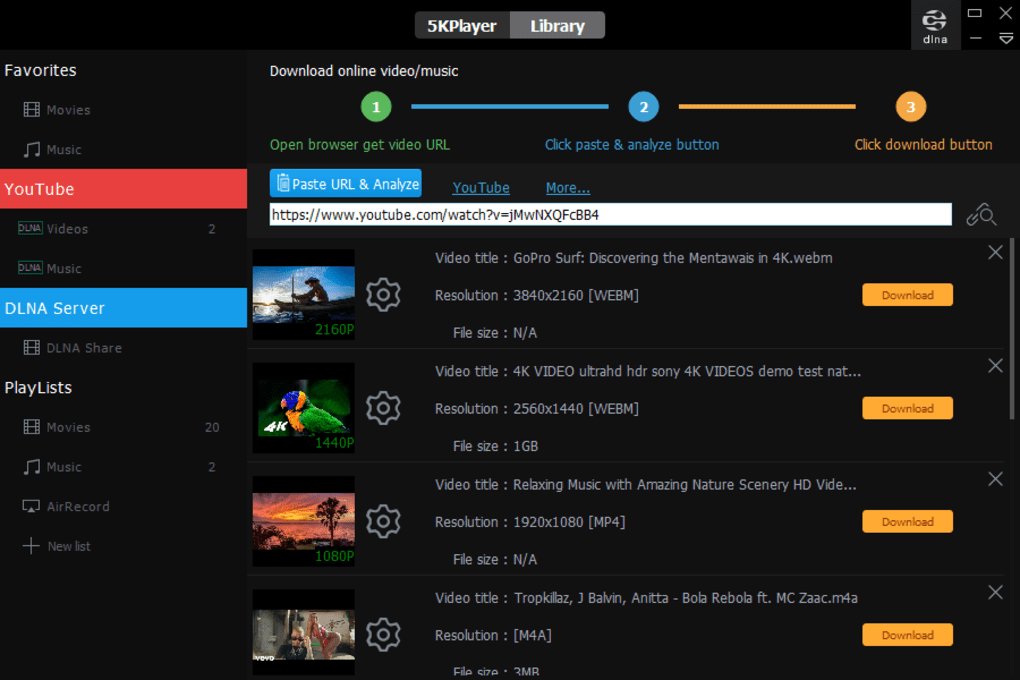
- Built‑in Downloader: One‑click video download from YouTube, Vimeo, Facebook, Instagram, DailyMotion, and over 300 other sites.
- Video‑to‑Audio Converter: Convert any video into MP3 or other audio formats directly within the player.
- AirPlay & DLNA Streaming: Mirror iOS devices or stream to any DLNA‑certified TV, projector, or sound system.
- Radio & Podcast Integration: Pre‑set stations like BBC, NBC, CBS Sports plus custom stream URLs.
- DVD & ISO Playback: Play physical discs or image files, including region‑locked titles, without extra codecs.
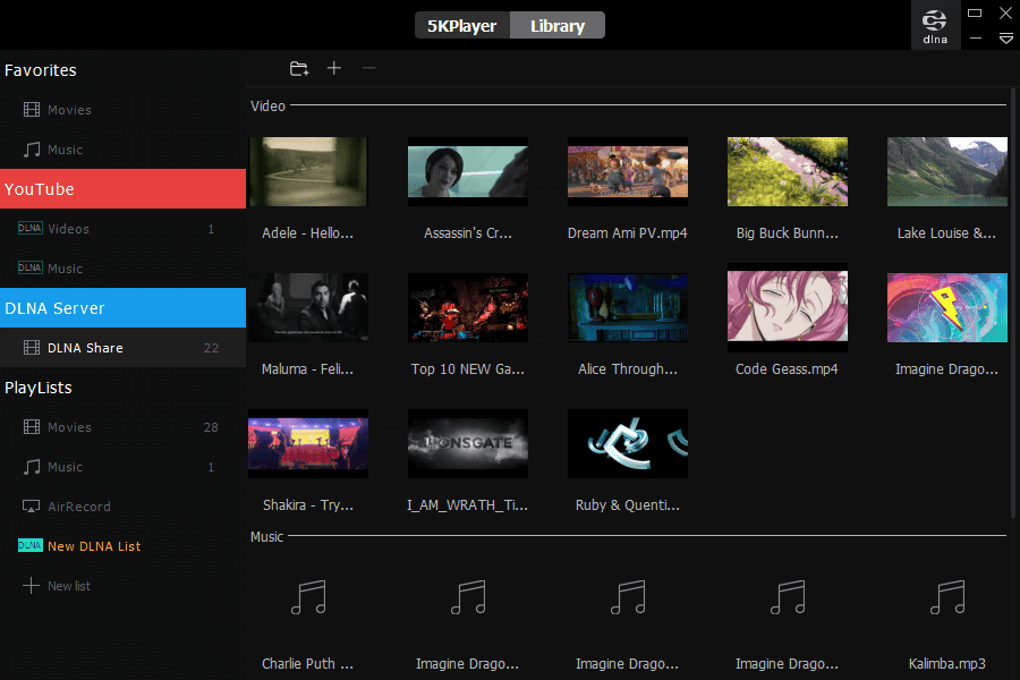
- Multimedia Library: Organize, edit, and share your video and music collections in a single, intuitive interface.
Installation, Usage & Compatibility
Getting started with 5KPlayer is straightforward. Download the installer from the official website—choose the Windows version for PCs or the macOS package for Macs. The setup wizard guides you through a typical installation: accept the license, select the destination folder, and click “Install.” No additional codecs or third‑party plugins are required, which keeps the installation clean and secure.
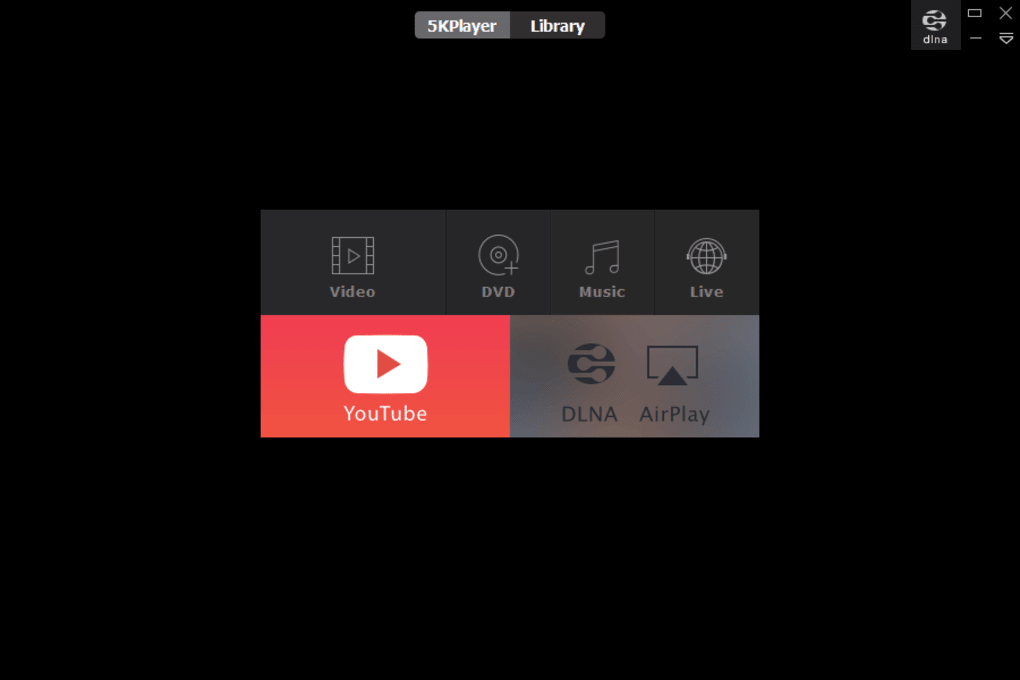
Once installed, launch 5KPlayer and you’ll be greeted by a sleek home screen that separates media playback, downloading, and streaming functions. To play a video, simply drag the file onto the player or use the “Open File” button. The player automatically detects the best audio track, applies subtitle files if present, and lets you adjust aspect ratio or playback speed from the on‑screen controls.
Downloading works equally well. Copy the URL of a YouTube video (or any supported site), paste it into the “Downloader” field, choose your preferred resolution and format, then click “Download.” The software parses the link, shows preview options, and saves the file to your chosen folder. For audio extraction, select “Convert to MP3” after the download finishes.
Compatibility: 5KPlayer runs on Windows 7, 8, 8.1, 10, and 11 (both 32‑bit and 64‑bit) as well as macOS 10.12 and later. The player also supports iOS mirroring via AirPlay, though the core application itself is not available for Android or Linux.
Performance-wise, the built‑in hardware accelerator reduces CPU load by up to 40 % when playing 4K/8K content, making it ideal for older laptops or low‑end desktops. Memory usage typically stays under 150 MB, ensuring the player remains responsive even while streaming or downloading simultaneously.
Pros, Cons, FAQ & Final Verdict
Pros
- Free to use with no hidden ads or bundled spyware.
- True 8K playback thanks to hardware acceleration.
- All‑in‑one solution: player, downloader, converter, and radio.
- Seamless AirPlay & DLNA support for cross‑device streaming.
- Comprehensive format coverage eliminates the need for external codecs.
Cons
- Advanced features (e.g., premium download speeds) require free registration.
- No native Linux version; Mac support lags behind Windows updates.
- Interface, while functional, feels less modern compared to VLC’s skin options.
Frequently Asked Questions
Is 5KPlayer safe to download?
Yes. The official installer is free of viruses, adware, and third‑party plugins. Always download from the developer’s website to ensure authenticity.
Can I play DVD region‑locked discs?
Absolutely. 5KPlayer includes an unlock feature that bypasses region codes, allowing you to watch any DVD without extra software.
How does 5KPlayer compare with VLC?
VLC is a solid, open‑source player, but it lacks built‑in downloading, AirPlay mirroring, and the same level of hardware‑accelerated 8K support that 5KPlayer offers.
Do I need to register to use the downloader?
Basic downloading works out‑of‑the‑box. Registering with an email unlocks faster download queues and occasional premium codecs.
Is there a mobile version of 5KPlayer?
Currently, 5KPlayer is only available for Windows and macOS. Mobile users can still stream via AirPlay from iOS devices to a PC running 5KPlayer.
Conclusion & Call‑to‑Action
Overall, 5KPlayer delivers a feature‑rich, high‑performance media experience that remains completely free. Its ability to handle 8K video, download from hundreds of sites, and stream via AirPlay makes it a compelling alternative to more fragmented solutions. If you’re looking for a secure, ad‑free player that also doubles as a downloader and converter, 5KPlayer is worth a try. Download 5KPlayer today from the official site, install it in minutes, and start enjoying crystal‑clear playback and effortless media management—no payment required.







